tech + design
=
We are obsessed over the details that turn good ideas into finished products.
Code and design aren't separate disciplines. They're two sides of the same process.
Turning ideas into working software
From desktop apps to mobile experiences, we build software around real problems and thoughtful interactions.
Making ideas visually precise
From UI to visual identities, we create designs where typography, spacing, composition and detail work together.
SR keeps students, attendance, fees, exams and reports in one app built for Ghanaian basic schools. It runs on the school PC with or without internet. Add the web app and teachers and bursars can work from their phones too.
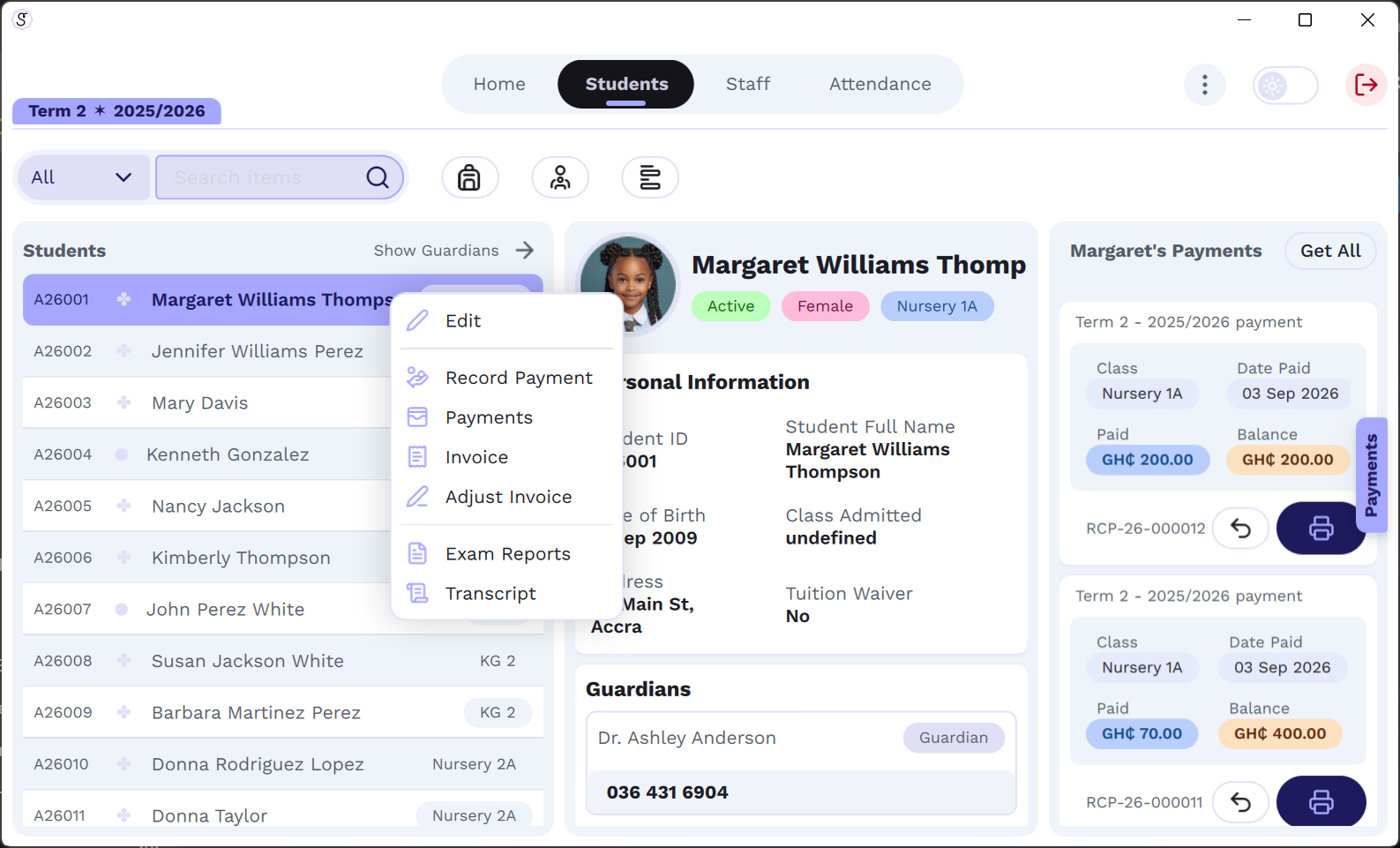
Admissions, classes and streams, photos and guardian contacts. Promote a whole class at the end of the year.
Class masters mark daily registers as Present, Absent or Excused. You see the totals for every class and week.
Fee lists per class, invoices for every student, receipts and arrears carried into the next term.
Teachers enter scores, SR grades them using your grading system and prints report cards and transcripts.
A staff directory with roles. Admin, head of department, teacher, bursar or staff, and each one sees only their part.
Power or internet gone? SR keeps working on the school PC and syncs your changes once you're back online.
Installed on the school's Windows PC. All your data lives on that PC, so SR works with no internet at all.
At sr.lauriandc.com on any phone or laptop. Staff sign in with your school code, and it stays in sync with the desktop.
SR Cloud is priced by how many students you have, so a small school pays a small-school price. You can pay with Mobile Money or a bank card.
More than 800 students, or several campuses? Talk to us for a quote.
Already using SR Cloud? Renew your subscription →
SR Desktop is a one-time purchase. It runs on your school's PC and never needs the internet after activation. SR Cloud is a subscription. It includes the same desktop app and adds the web app at sr.lauriandc.com, so teachers, the bursar and the head can work from their own phones. Everything syncs back to the PC.
We count the students enrolled when you pay, and you choose the plan that covers that number. If you grow past your plan during a term, you won't be cut off. You simply move up a plan at your next renewal. Staff accounts are unlimited on every plan.
Only to activate. With SR Desktop that's the only time. With SR Cloud the desktop app still works offline, but the PC needs to go online at least once every 60 days to check the subscription and sync.
Online through Paystack, with Mobile Money (MTN, Telecel, AirtelTigo) or a Visa or Mastercard card. Prices are in Ghana cedis. If your school prefers a bank transfer or an invoice, contact us.
We email it to you once your payment is confirmed, together with the download link and setup steps. Keep that email safe. For your security we store only a fingerprint of the key and can't look it up later. If you lose it, we can send you a new one.
Renew from the renewal page using your school code. The new time is added to the end of your current period, so you never lose days by renewing early. You don't need a new key, because SR picks up the new date the next time the PC is online.
The desktop app, sync and the web app pause until you renew. Your data is not deleted. Renew and everything picks up where you left off.
Yes. On the old PC open Settings > Licence > Remove from this PC, then activate the new PC with the same key. If the old PC is broken, write to us and we'll free the seat for you.
Yes. Send us a message and we'll set up a demo school for you to explore, or walk you through it in person or on a call.
Want a demo of SR, a bank-transfer invoice or help getting set up? Or have an idea of your own? Write to us or find us on social media.